How to Implement a CRM Without Breaking Your Sales Process
How to Implement a CRM Without Breaking Your Sales Process
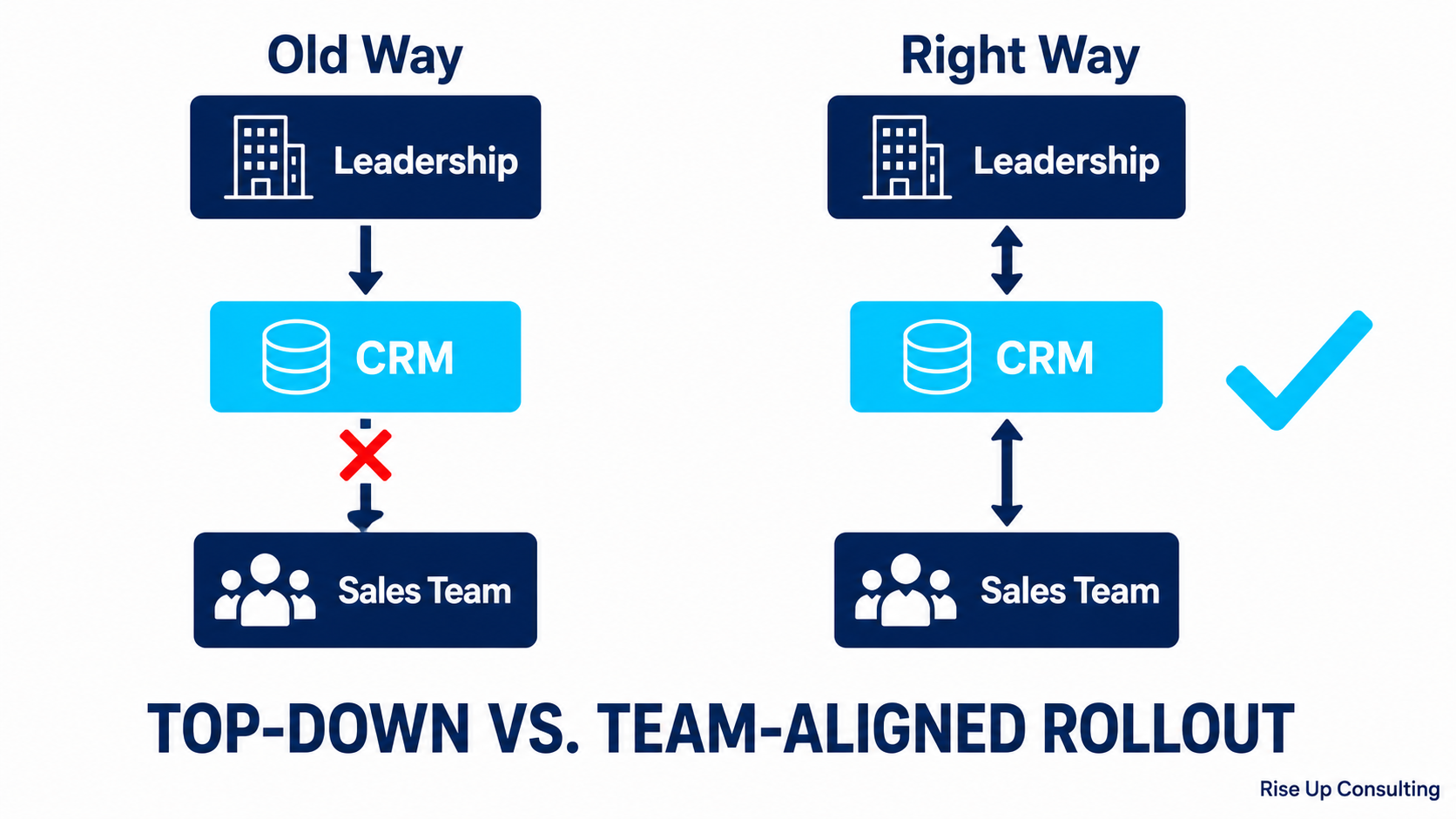
If you've ever watched a CRM rollout go sideways, you already know the pattern. Leadership picks a platform, IT sets it up, and sales gets handed a new system on a Monday morning with a 30-minute training video and a deadline. Within weeks, reps are logging activity inconsistently, managers can't trust the pipeline data, and everyone quietly goes back to their spreadsheets.
The technology rarely causes these failures. The implementation does.
A CRM should make your sales process faster and more visible, not replace it with someone else's idea of how selling works. The goal of this post is to walk you through how to implement a CRM in a way that reinforces what your team already does well, closes the gaps you know exist, and actually gets adopted.
---
Start With Your Sales Process, Not the Software
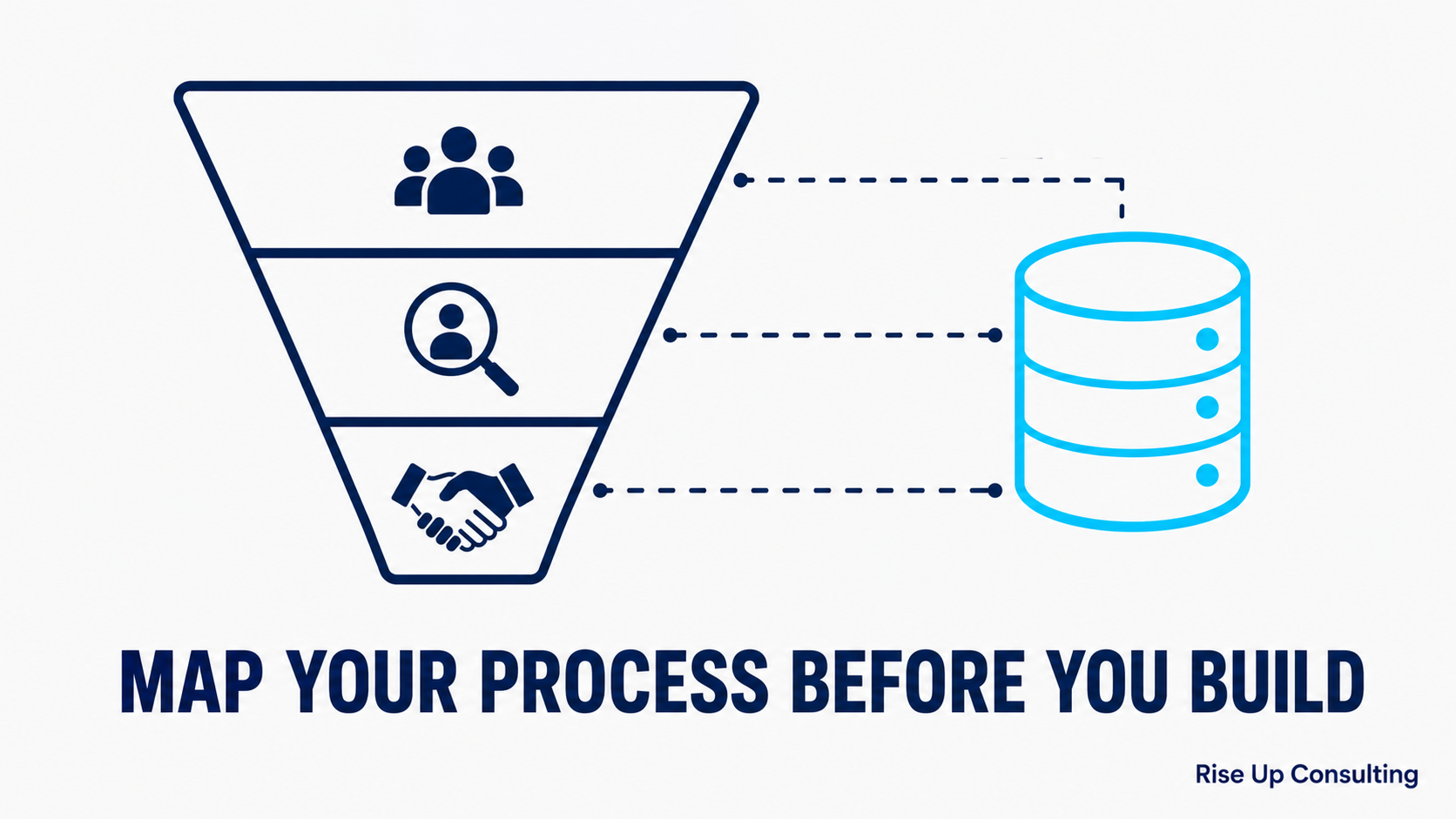
The biggest mistake companies make is opening the CRM configuration panel before they've written down how they sell. Every CRM has default pipeline stages, default fields, and default workflows built around a generic sales motion. If you configure those defaults without mapping your own process first, you end up with a system that doesn't reflect reality, and reps who treat it like a compliance exercise instead of a tool.
Before you touch the software, do this: sit down with two or three of your best salespeople and map out exactly how a deal moves from first contact to closed. What triggers a deal to move from one stage to the next? Not what should trigger it, what actually triggers it. Where do deals stall most often? What information does a rep need at each stage to move forward?
Document that process in plain language. It doesn't need to be a formal flowchart. It just needs to capture what actually happens. This document becomes the blueprint for your CRM configuration.
---
Choose the Right Platform for Your Sales Motion, Not Your Vendor's Pitch
Different CRMs are built around different assumptions about how selling works. HubSpot is designed around inbound marketing-led sales and is easy to adopt for smaller, faster-moving teams. Salesforce is built for complexity and customization, but that power comes with a configuration and maintenance burden that smaller teams often underestimate. Pipedrive is built specifically for activity-based selling and feels intuitive to field reps. Zoho offers strong value for cost-conscious teams with varied needs.
None of these is universally better. The right question is which one fits the way your team actually sells, not which one has the most features or the biggest brand name.
A few practical questions to guide your selection: How technical is your admin team? How long is your average sales cycle? Do your reps live in email, on the phone, or in the field? How tightly does your CRM need to connect with your marketing, billing, or customer success tools?
Getting honest answers to those questions before you evaluate vendors will save you months of frustration after the contract is signed.
---
Configure for Adoption, Not Comprehensiveness
Not sure where your pipeline is leaking?Take the free 2-Minute Pipeline Diagnosticto find out in under two minutes.
There's a strong temptation, especially for operations and leadership teams, to build the most complete CRM possible. Every field you could ever want. Every workflow you might someday need. Mandatory data capture at every stage.
Resist this. A system that takes five minutes to update after a sales call is a system that won't get updated. Reps will log what they have to in order to pass an inspection, and the data quality you were hoping to achieve will be an illusion.
Configure only what your team needs to do their job well and what managers genuinely need to coach and forecast. Start with the minimum viable set of fields and stages. You can always add complexity later, and it's much easier to add fields to a system people are already using than to simplify one that's driven them to disengagement.
A useful rule of thumb: if you can't explain why a field exists and how it will be used in a decision or conversation, cut it.
---
Get Reps Involved Before You Go Live
The fastest way to kill CRM adoption is to hand your sales team a finished product they had no part in shaping. People support what they help build. Even if the final configuration is 90% what leadership wanted, giving reps a voice in the process creates a fundamentally different relationship with the tool.
Identify two or three reps who are respected by their peers, ideally a mix of your top performer and someone who's vocal about process frustrations, and involve them as testers during configuration. Ask them to run real deals through the system before launch. Ask what's missing, what's confusing, and what would make their day easier.
This does two things. It surfaces practical problems you wouldn't catch from a conference room. And it gives you internal advocates who can say "I helped build this" when the skeptics push back after launch.
---
Train on the Why, Not Just the How
Most CRM training is a screen-share walkthrough of where to click. That's necessary, but it's not sufficient. Reps who understand why the system is structured the way it is will use it better, adapt faster when things change, and require far less hand-holding from management.
Your training should answer three questions for every rep: How does this make your selling easier? How will this help you close more deals? How will your manager use this to support you, not just monitor you?
That last point matters more than most leaders acknowledge. Reps often assume a new CRM is primarily a surveillance tool. If you don't directly address that perception, it will quietly undermine adoption even among reps who like the software itself. Be explicit about how pipeline data will and won't be used.
---
Define What Good Data Looks Like Before You Need It
One of the most common post-launch frustrations is discovering that your pipeline data isn't usable for forecasting or coaching because different reps interpret the same stages differently. One rep moves a deal to "Proposal Sent" when the PDF leaves their outbox. Another moves it there when the prospect has reviewed it and agreed to a next step.
That's not a data problem, it's a definitions problem, and it predates the CRM.
Before you go live, write one or two sentences defining exactly what each stage means and what criteria a deal must meet to be in that stage. Share these definitions in training, post them somewhere reps can reference them, and build the habit of reviewing them in early pipeline meetings. Clean definitions early will compound into trustworthy data over time.
---
Plan for the First 90 Days Specifically
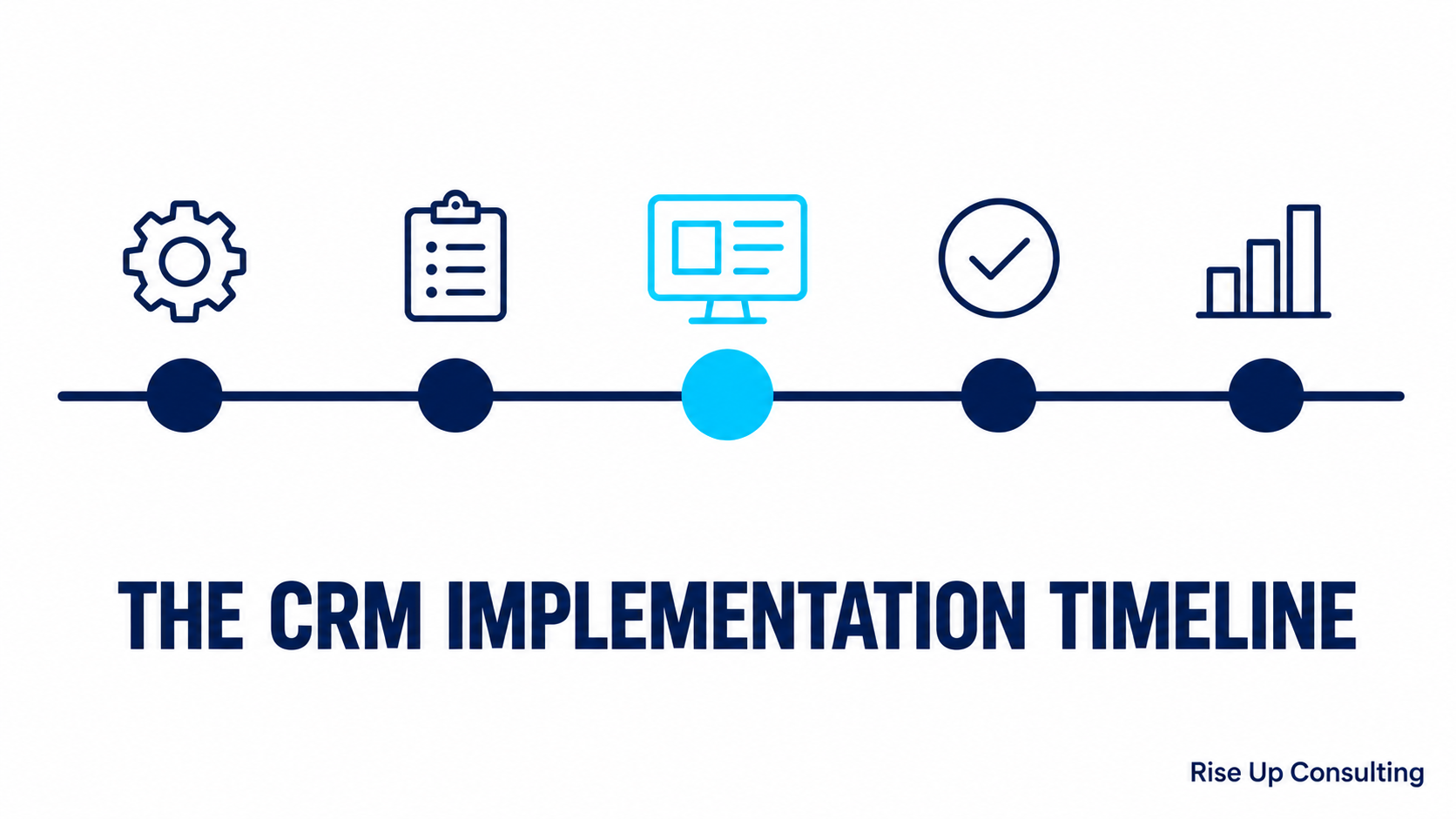
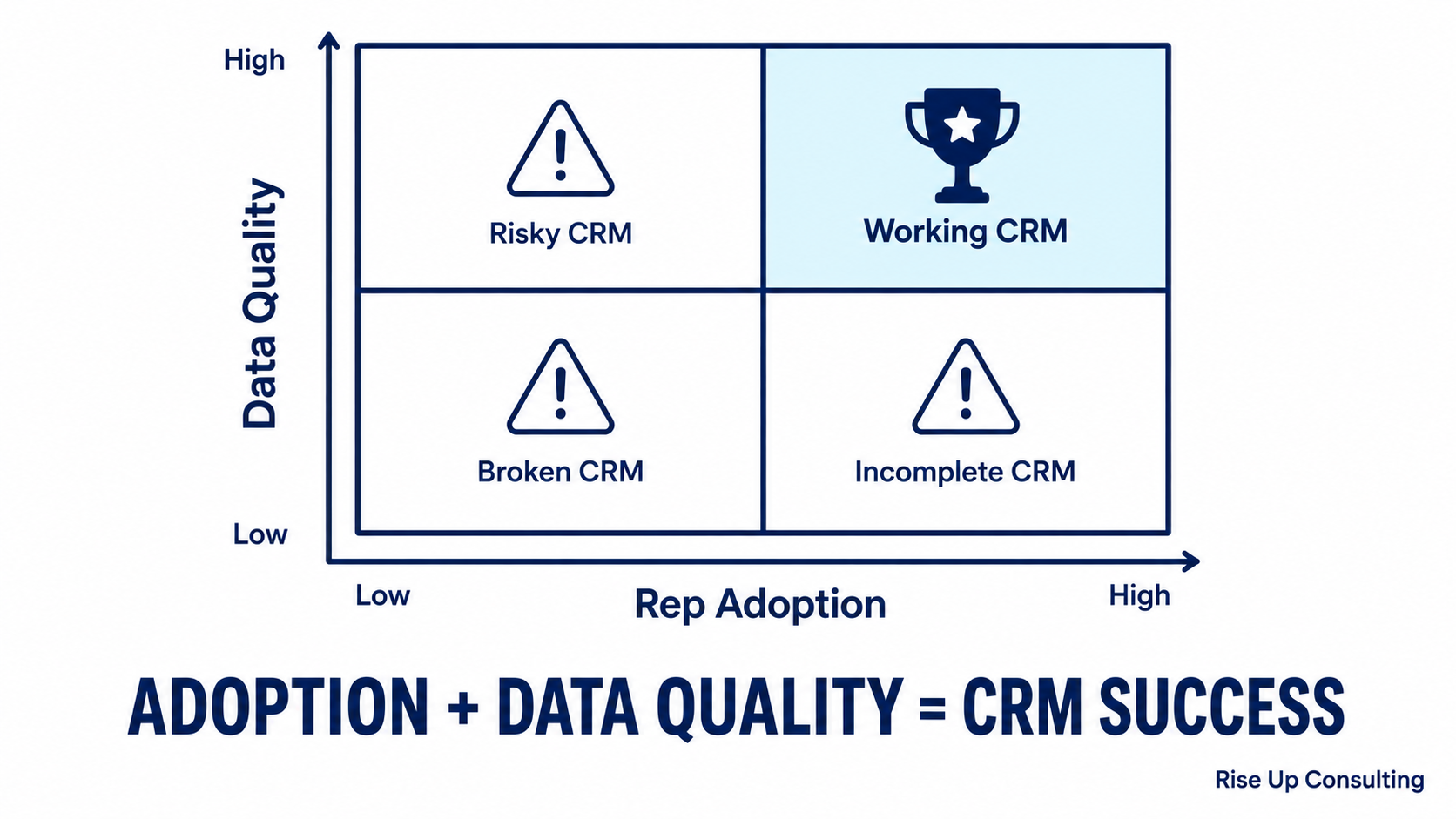
The period right after launch is where CRM implementations are won or lost. Adoption always dips when a new system goes live, there's a learning curve, old habits are sticky, and reps are busier than usual adjusting. If leadership doesn't provide visible, consistent reinforcement during this window, teams drift back to old behaviors and the CRM quietly becomes shelfware.
Build a 90-day reinforcement plan before you launch, not after. This should include weekly pipeline reviews that are runfrom the CRM, not from exported spreadsheets, not from memory. It should include a feedback channel where reps can flag issues without friction. And it should include a checkpoint at 30, 60, and 90 days where you review adoption metrics, data quality, and user sentiment honestly.
The managers who run pipeline reviews from the CRM from day one send an unmistakable message: this is how we work now. That signal is more powerful than any training session.
---
Iterate Based on Real Feedback
No CRM implementation is finished at go-live. The best ones are living systems that evolve as your team's needs change and as you learn what's working. Build in a formal review cadence, quarterly is usually right, where you assess whether the current configuration is serving the team, what's creating friction, and what new capabilities might be worth adding.
This doesn't mean overhauling the system constantly. It means creating a culture where the CRM is treated as a tool that belongs to the sales team, not something imposed on them from outside. Teams that feel ownership over their tools take better care of them.
---
The Bottom Line
A CRM implementation fails when the technology leads and the process follows. It succeeds when you start with how your team actually sells, configure around that reality, involve the people who will use it, and commit to reinforcing adoption in the critical weeks after launch.
Done well, a CRM doesn't disrupt your sales process. It makes the invisible parts of it visible, giving your reps better information, your managers better coaching leverage, and your leadership team a forecast they can actually trust.
If you're planning a CRM implementation and want a second set of eyes on your process before you start, Rise Up Consulting works with sales teams at every stage of the journey. Reach out to talk through where you are and where you want to be.
---
Ready to see exactly where your revenue system is leaking? Get a free revenue audit with our team, completely free.